
Key Takeaways
- Email marketing automation eliminates repetitive tasks and allows you to engage in scalable, personalized campaigns that increase your marketing effectiveness and deliver tangible business growth. Pick a tool with strong automation and analytics to fuel this transition.
- Utilize segmentation, behavioral triggers and CRM data to send the right message at the right time, and create distinct workflows for new, loyal and potential customers to drive engagement and conversions.
- Be ROI-focused by measuring conversions, employing ROI calculators and attribution models, and emphasizing automation capabilities such as dynamic content, A/B testing, and predictive analytics to optimize spend and increase revenue.
- Customer Journey Mapping & Automation – Welcome Series, Cart Recovery, and other automated workflows drive prospects toward purchase while enhancing retention and lifetime value.
- Balance automation with human-centered messaging by incorporating personalization, storytelling and transparent consent practices to maintain trust, avoid email fatigue and meet privacy standards.
- Test, audit, and integrate channels and data sources to optimize performance. Run A/B tests, validate data, and align automation with goals to keep the ROI growing.
Email marketing automation: boosting ROI for entrepreneurs explains how automated email systems raise revenue by sending targeted messages at scale.
It slashes busy work, nurtures leads, and converts shoppers into loyal customers. Small teams can configure drip sequences, cart recovery and personalized offers that monitor engagement and revenue per campaign.
Quantified by open rates, click rates and conversion value, automation provides transparent metrics to optimize investment and increase revenue consistently.
Automation Fundamentals
Email marketing automation is software that runs repeatable email tasks and decision flows without manual input. It manages welcome sequences, abandoned cart reminders, re‑engagement, and behavior‑based sends. For founders, automation hacks grunt-work so teams can concentrate on strategy, experimentation and creative direction instead of manually sending every message.
It matters what tool you choose. Seek out platforms with solid workflow builders, event triggers, segmentation, a/b testing, and analytics. AI for subject lines and content tweaks are ever-present and valuable. Choose tools that offer metric exports in metric units, integrate with your CRM and e‑commerce stack, and enable you to scale lists without impeding delivery.
Automation provides scalable personalization. With event triggers and behavioural targeting you can deliver different messaging to users who view a product, abandon a cart, or reach a loyalty milestone. Triggered emails and AI‑powered personalisation let small teams act like big marketing departments.
Examples: an abandoned cart email recovering 5–15% of lost sales; a browse recovery note nudging users back to a product page; or a post‑purchase series that increases repeat purchase rates.
The transition from manual blasts to automated workflows transforms impact and productivity. Manual sends frequently equals single, shotgun-blast messages that miss both intention and timing. Workflows map customer journeys, delivering the right message at the right time and liberating your staff from grunt work.
Automation makes testing repeatable: subject line tweaks can lift open rates by 10–15%, and format optimisation can improve engagement by 10–20%.
Beyond Broadcasts
Bulk blasts broadcast the same message to all. The beauty of automated campaigns is that they use segmentation and triggers to target only the relevant users, which boosts relevance and reduces unsubscribe risk. Segments can be derived from purchase history, site activity or engagement recency.
Set triggers for clear events: first visit, cart abandonment, high value purchase, or lapsed activity. Time the sends to hit intent—immediate cart reminders, delayed feedback asks, or cadence breaks for low‑engagement users.
Automation powers more than name tags — it supports personalized experiences. Use dynamic content blocks to exchange images or offers or CTAs based on segment information. Mix automated copy with human notes—customer success quotes or team sign‑offs—to get about 28% more engagement than raw automation.
Use workflows to nurture leads: education sequences for new leads, product tours for trial users, and re‑engagement flows for dormant contacts. Monitoring behaviour to shift prospects between flows and escalate to sales when intent signals emerge.
The ROI Engine
Automation boosts conversion rates and sales efficiency, organizations experience a 451% increase in qualified leads and a 14.5% increase in sales efficiency. It additionally reduces manual effort and duplication mistakes, reducing costs per lead.
Key features that lift ROI:
- Triggered emails (abandoned cart, browse recovery)
- Behavioural segmentation and scoring
- A/B testing for subject lines and creative
- Workflow analytics and conversion tracking
- CRM and e‑commerce integrations
- AI suggestions for timing and personalization
- Template and format optimization tools
With ROI calculators and built‑in analytics, you can prove your lift, track recovered sales, and test changes. Track churn factors from email interactions and deploy customized interventions to cut attrition by approximately 14%.
Boosting ROI
Boosting ROI from email automation begins with a solid connection between business objectives and every automated touch. Tie campaigns to quantifiable goals, maintain clean lists to safeguard sender reputation and deliverability, and leverage data to craft workflows that guide subscribers to revenue.
1. Strategic Segmentation
- Audit and split lists by behavior, demographics and purchase history to be sending fewer, more relevant, emails. Daily list hygiene to reduce hard bounces and spam complaints. This enhances deliverability and safeguards sender score.
- Pull CRM fields and analytics into segment rules so messages match lifetime value, product interest or recent activity. Use purchase recency and frequency to delineate VIPs vs re-engage targets.
- Build distinct workflows: an onboarding stream for new customers, a loyalty stream that rewards repeat buyers, and a reactivation stream for lapsed users. Each workflow has customized cadence & offers.
- Advanced segmentation increases engagement. Because personalized targeting not only makes each email more useful, but directly drives sales growth.
2. Hyper-Personalization
Leverage AI-powered templates and data feeds to replace product recommendations, location information or account details on the fly. Personalization tied to past behavior and triggers—browsed items, cart abandonment, or service use—creates timely relevance and lifts open rates as much 82% over generic emails.
Dynamic subject lines and personalized first sentences increase opens and clicks. Automated emails have approximately 119% greater click-through than basic promotions. Mind privacy rules and consent when personal data is used.
3. Customer Journeys
Map automated flows from first outreach through to post-purchase follow-up so every message is meaningful. Create a welcome series that teaches and solicits preferences, and a cart-recovery journey with timed reminders and graduated offers.
Leverage automation to deliver messages at peak intent — time-based and behavior-triggered sends combine. Journey mapping minimizes friction, increases retention, and maximizes lifetime revenue per user.
4. Continuous Testing
Conduct A/B tests on subject lines, content blocks, and send times on a routine basis. Automate test cycles and measure wins against KPIs: open, click, conversion, and revenue per email.
Cross-channel orchestration and automated experimentation can increase open rates by approximately 36%. Track results with transparent dashboards and iterate—small victories snowball into massive ROI returns.
5. Content That Converts
Design snappy targeted content with a compelling call-to-action. Turn blog posts and product pages into email sequences to maximize assets usage.
Employ proven templates, bold CTAs and two to three emails per week to be there without being intrusive. Calculate ROI using: ROI = (Gain – Cost) ÷ Cost × 100, and watch engagement metrics to guide budget and strategy.
Measuring Success
Measuring success begins with lucid objectives, then the appropriate information streams to evaluate advancement and ROI. Define your goals—revenue per campaign, retention lift, conversion — and tie every email touch to those goals before you dive into tools and reports.
Key Metrics
- Open rate
- Click-through rate (CTR)
- Click-to-open rate (CTOR)
- Conversion rate
- Revenue per recipient (RPR)
- Revenue per click (RPC)
- Unsubscribe rate
- Bounce rate (soft/hard)
- Deliverability rate
- Email volume and frequency
- Customer retention rate
- Repeat purchase rate
- Time-to-purchase after email
- Assisted conversions
Track deliverability and aggregate email volume to identify list or sending problems early. Deliverability below 95% requires attention. Measure volume to sidestep burnout — too high volume with no segmentation tends to lower CTR and increase unsubs.
Customer engagement and sales revenue tell different stories: a campaign with modest open rates can still drive strong revenue if conversion and RPC are high. Contrast campaigns routinely in an easy table to identify winners and losers and to experiment with subject lines, send times, and segments.
| Step | Action | Tool/Detail |
|---|---|---|
| 1 | Define KPIs tied to revenue and retention | Revenue per campaign, retention lift, conversion rates |
| 2 | Tag links and emails for tracking | UTM tags, unique campaign IDs |
| 3 | Integrate analytics | Google Analytics with enhanced ecommerce |
| 4 | Sync CRM data | Contact, lead, and revenue mapping to email IDs |
| 5 | Aggregate reports | BI tool or dashboard (e.g., Looker, Power BI) |
| 6 | Run attribution analysis | Multi-touch, last-click, time-decay models |
| 7 | Audit and optimize monthly | Pause low performers; scale triggered flows |
I would suggest incorporating Google Analytics and a CRM to connect open/click events with on-site behavior and lifetime value. CRM records turn e-mail IDs into revenue and retention.
Google Analytics reveals post-click behavior like time on site and repeat visits. Email-induced return visits convert 40–65% higher than first-time visits, so mix those signals to appreciate repeat traffic.
Utilize ROI measurement tools such as cost per send, revenue per recipient and full-cost allocation (platform, creative, labor) to calculate net ROI. Automated campaign analytics show big lifts: automated emails can produce 320% higher ROI, 52% higher opens, and 332% higher clicks than manual sends.
Conduct consistent ROI audits, they provide 35–45% greater overall returns than measuring just fundamental metrics. Audits reveal where trigger campaigns recapture lost sales–abandoned cart flows, for example, recapture 5–11% of sales and can account for 10% of email revenue from 2% of volume.
Beyond The Inbox
Email automation is more powerful when embedded into a broader digital strategy that extends across channels and data systems. A brief framing: omnichannel work raises reach, relevance, and return when email ties into social, SMS, and offline touchpoints. Mobile behavior, content cadence, design, and unified data all change what automation should do.
Here are actionable tips and examples to scale email automation to a marketing engine.
Channel Integration
Hook email tools into CRM and marketing platforms so a customer’s history flows through every note. For instance, push purchase data from a POS system into the CRM, then trigger a follow up email + an SMS reminder for warranty registration. This reduces redundant work and increases efficiency.
Create workflows that transfer data between systems. Use middleware or native connectors so lists, tags, and event triggers update in real time. If a buyer clicks a product link on email, that needs to flag them in the CRM and add them to a social ad audience on the fly.
Consistency matters: deliver the same personalized message across email, social ads, SMS, and direct mail. A welcome series could open with a high-open-rate welcome email, then retarget related product ads on social platforms, followed by an SMS with a snap offer.
Welcome emails have about 50% open rates, so use them to set expectations and collect preferences for other channels. Launch campaigns from one interface with automation platforms. Multi-channel orchestration platforms minimize mistakes and accelerate campaigns.
Make designs responsive — non-responsive email can slash click rates by 40–60%, and mobile users skim in 2–3 seconds, so subject lines and hero copy must communicate value quickly.
Data Synergy
Merge email, web, social, in-store and SMS data for richer customer perspectives. A strong CDP can accelerate email returns some 85% over fractured data environments. Combine transaction, engagement, and preference data into profiles.
Validate incoming data with rules and regular audits. Bad email lists or mismatched fields skew segmentation, so establish validations that detect anomalies and repair them prior to impacting campaigns. Clean data leads to cleaner insight.
Use predictive analytics to segment by probable lifetime value, churn risk, or next-best-offer. Predictive scores feed automation: move high-value prospects into expedited nurture tracks that include targeted SMS and direct mail.
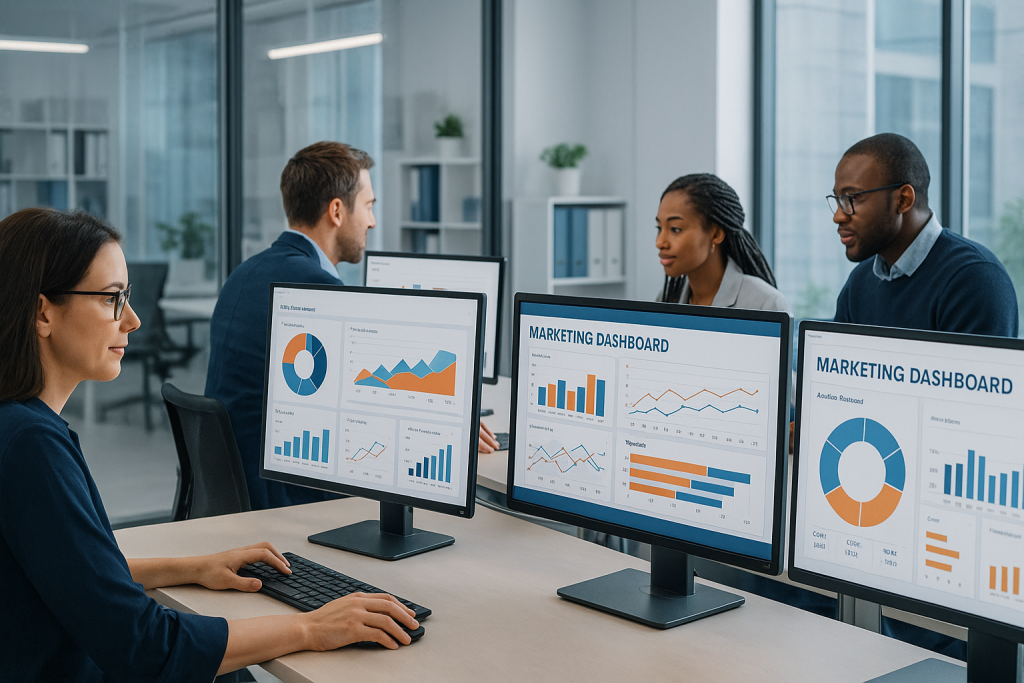
Lead nurturing can increase sales opportunities by as much as 20% over non-nurtured leads. Data synergy propels tangible gains in revenue and loyalty. Small business email programs exhibit 20–30% higher loyalty than larger peers.
Use preference centers to reduce unsubscribes by 25–40% and maintain engagement rising. Routinely refresh drip sequences—this can boost results 10–20% per year.
The Human Touch
Automation multiplies tasks. It can’t substitute the signals and attention that forge genuine trust. Entrepreneurs have to maintain a human layer within automated flows so messages sound like they come from a human, not a robot.
That’s designing sequences that communicate brand values, welcome back-and-forth replies, and allow actual humans to intervene when nuance or emotion comes into play.
Emotional Triggers
Use emotion to make email copy propel readers to act. Start with simple empathy: name a common pain point, show you get it, then offer a clear, useful next step.
Storytelling goes a long way here. Tell a quick customer success vignette that demonstrates the issue, the decision, and the results–three short beats that scan effortlessly on mobile and establish empathy.
Select triggers that fit the customer journey. Curiosity and safety are what early stage leads respond to. Repeat visitors do so to pride and identity.
Try subject lines that suggest relief or potential, then align the body copy to that promise. Personalized lines based on recent activity or a known preference increase open and click rates because they resemble actual conversation.
Collect instant feedback in emails. Pose a simple query, provide a duo of answer choices, or run a single-click poll.
Take those responses and customize follow-ups. A note referencing a recent response smacks of humanity, demonstrates your listening and enhances loyalty. Personalization at scale should still feel deliberate: short sentence, named detail, and an action that helps the recipient now.
Ethical Automation
Respect for privacy needs to be baked into every automated flow. Gather just-necessary information, explain why you gather it, and demonstrate how you use it.
Get express permission before sending tailored sequences, and make unsubscribe or preference links clear and one-click. Explicit permission decreases complaint rates and safeguards deliverability.
Be clear about your data use. Add a short line about how you store customer info and who sees it, and link to a plain-language policy.
This instills confidence and mitigates risk. Don’t over-mail — establish reasonable cadences and caps so automation doesn’t generate inbox fatigue.
Leverage automation to cut down on off-topic noise, not contribute to it. Flag segments for manual review when messages concern sensitive issues or high-value offers.
Let human agents step in where compassion or nuanced decisions are required. Consider every unsubscribe or complaint to be a red flag to revise a sequence, not a metric to disregard.
Common Pitfalls
Most teams embrace automation without risking journey maps, and that absence leads to wasted work and substandard outcomes. Begin by mapping touchpoints, intent signals and the part each automated message plays. If you miss this, you can blast messages that don’t align with where people are in the decision journey.
Rescript outdated workflows that assume last century’s buyers – today’s use any number of devices and channels and demand timely, relevant content.
Checklist of common pitfalls to avoid
- Poor data quality: Dirty or incomplete data leads to wrong segments, failed personalization, and lost revenue. Perform ongoing data cleaning and enrichment. Match email lists to your CRM, dedupe them, validate addresses and add missing fields such as country or purchase history.
- No clear customer journey: Automation without defined stages causes irrelevant sends. Identify stages (awareness, consideration, purchase, retention) and associate each automation with a stage and quantifiable objective.
- Weak content strategy: Templates without purpose reduce engagement. Develop content targeted to each stage of the journey—educational for awareness, in-depth comparisons for consideration, and onboarding guides post-purchase.
- Over-emailing and irrelevance: High send volume and off-point messages hurt deliverability and brand trust. Cap per user, local time zones, and inactivity rules to pause sequences when a user converts or disengages.
- Poor testing and analytics: Lack of continual testing leaves inefficiencies. A/B test subject lines, send times, sequence length. Measure open rates, click-through, conversion, and long-term lifetime value, not just last-click revenue.
- Inflated ROI claims and bad attribution: Avoid counting gross revenue from email without fair attribution. Use multi-touch models or holdout tests to isolate email impact and not overclaim ROI.
- Lack of human feel: Over-automated messages read robotic. Use plain language, conversational copy and triggers that can be overridden manually if necessary. Think chatbots or virtual assistants for queries that need natural language back-and-forth.
- Failure to update workflows: Markets change, workflows must too. Review automations quarterly and re-write flows that no longer align with buying behavior.
Risk associated with scale and execution. Only ~ 70% of companies ever achieve complete automation value. In fact, many teams struggle to personalize at scale – 73% of marketers report automation is challenging to implement and 31% call it very hard.
That too often harks back to feeble data and absent measurement. Fix data first, then construct segments you can experiment with. Track campaigns closely to identify drop-offs and underperforming steps.
Where to act first: prioritize data quality, map journeys, create a content plan, then test iteratively. Actionable small wins: a one-time data cleanse, a trimmed welcome series, a quarterly audit of workflows.
Conclusion
Email automation produces transparent, scalable improvements for small businesses and solo founders. Have goals, map easy journeys, and choose tools appropriate to your budget and expertise. Leverage abbreviated welcome series, cart recovery flows, and reengage campaigns to boost sales and reduce churn. Track open rates, clicks and revenue per campaign to identify what works. Supplement with human notes, plain copy, and timely offers to keep messages real. Be on the lookout for list decay, poor segments, and over-automation. Correct those rapidly through small tests and minor tweaks.
A good next step: pick one flow to build this week. Try it for two weeks, track revenue and click growth, adjust. Post-results repeat
Frequently Asked Questions
What is email marketing automation and why does it matter for entrepreneurs?
Email marketing automation uses software that automatically sends emails based on specific triggers and behavior of customers. It saves time, increases relevance, and boosts conversion rates, enabling entrepreneurs to scale outreach and improve ROI without the grunt work.
How quickly can I expect ROI from email automation?
Most businesses experience noticeable results within 1–3 months. ROI timing is contingent on list quality, offer strength and campaign setup. Begin with high-value segments and test to accelerate returns.
Which metrics should I track to measure success?
Monitor open, CTR, conversion, revenue per email and unsubscribe rate. These demonstrate engagement, campaign effectiveness and immediate sales impact.
How can automation improve customer lifetime value (CLV)?
Automation allows for timely upsells, re-engagement, and personal recommendations. That drives repeat buys and deepens relationships, enhancing CLV down the road.
What are common pitfalls to avoid with email automation?
Prevent over-sending, bad segmentation, weak subject lines and neglecting compliance (like GDPR). Test workflows and performance to avoid list fatigue and deliverability problems.
How do I keep automation personal and human?
Utilize segmentation, dynamic content and behavior triggered messages. Include human-sounding copy, from names and replies-tos that promote two-way conversation.
Do I need technical skills to set up automation?
No. Most platforms provide templates and drag-and-drop workflow builders. General marketing savvy assists, but you can begin basic and polish as you go.